Gemini Gets New Web Redesign with Dark Theme Upgrade & ‘My Stuff’ Folder
After arriving on Android and iOS, Gemini’s modern redesign is now rolling out on the web with a sleeker dark theme, intuitive layout tweaks, new content management tools, and a built-in Google Photos picker.
Old vs New: A More Polished Gemini Web Experience
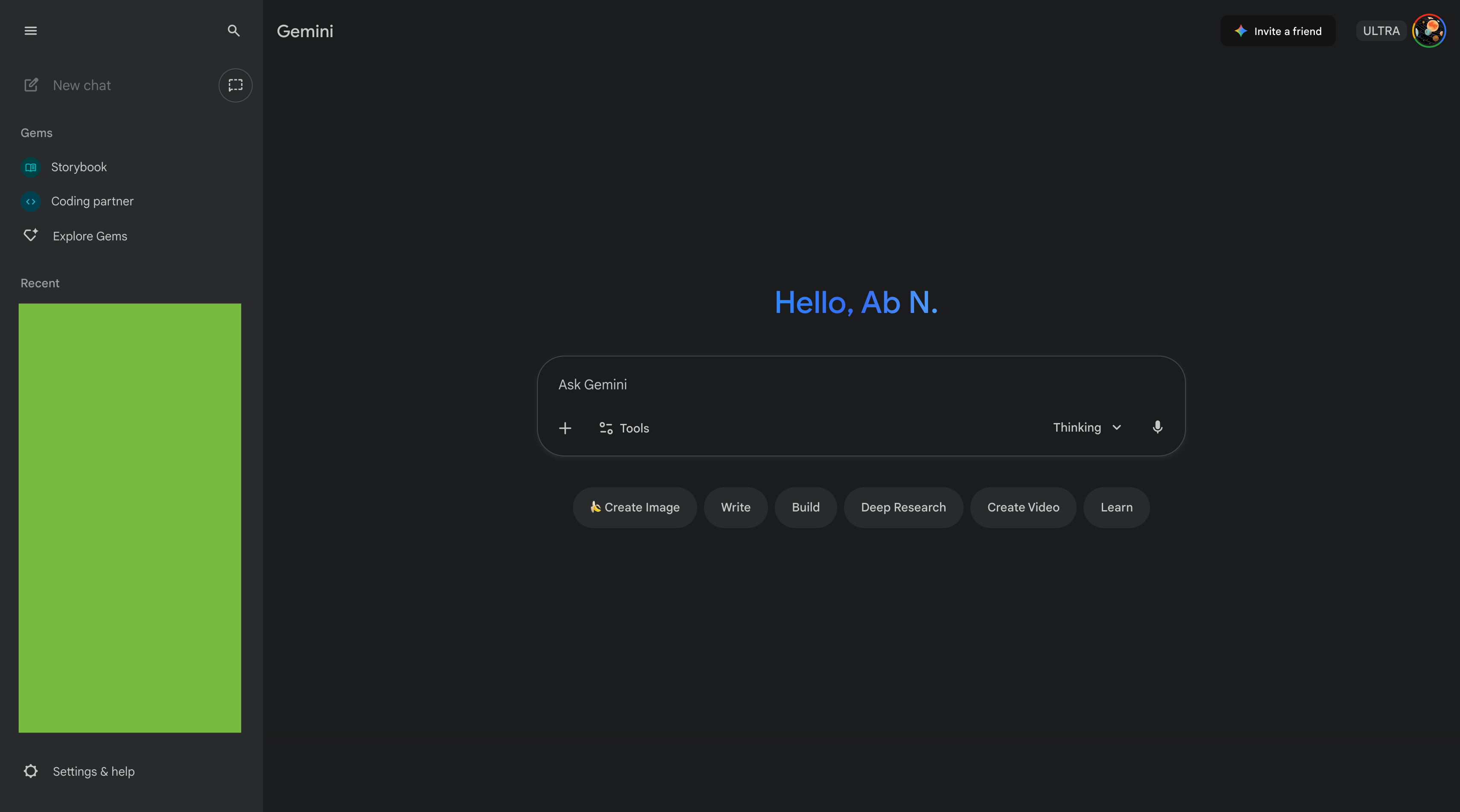
Old Gemini Web — Image Source: 9to5Google
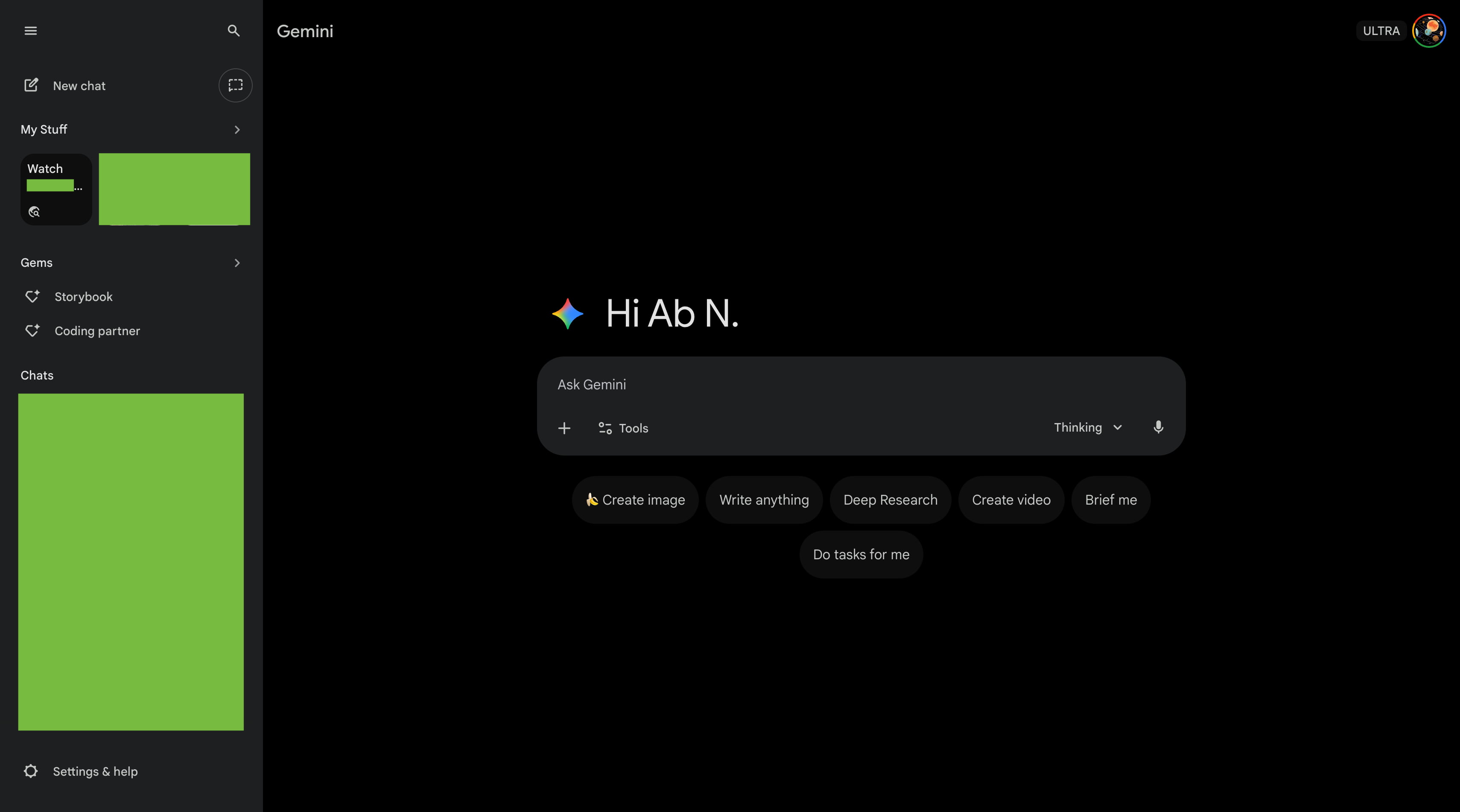
New Gemini Web Redesign — Image Source: 9to5Google
Google describes the redesign as a “clean, modern look,” and the changes become obvious the moment the page loads — complete with a playful rotating spark animation beside the updated greeting: “Hi.”
Homepage Updates: Cleaner Layout & Deeper Dark Theme
The homepage receives the biggest visual overhaul. The dark theme now shifts from a grey tone to a deeper, richer black — giving Gemini a more premium feel. The light theme is also slightly darker for improved contrast.
The prompt box loses its faint outline and now blends naturally into the page, while the suggestion pills are centred for a more balanced first impression.
Navigation colours remain familiar, ensuring users don’t feel disoriented when switching between themes.
New “My Stuff” Folder for Your Generations
A major addition is the new “My Stuff” section, found inside the navigation drawer. This folder centralises all your AI-generated content:
- Images
- Videos
- Canvas creations
- Other Gemini outputs
Each item opens in a fullscreen viewer at: gemini.google.com/mystuff
This makes managing your creative sessions significantly easier, especially for frequent Gemini users.
Built-In Google Photos Picker
Another convenience upgrade is the addition of a direct Google Photos picker in the “+” menu — similar to Google Drive.
You can now pull images from your Photos library instantly without needing to download and re-upload them.
Conversation Tweaks: Share, Pin, Rename & Delete Easily
Gemini’s conversation UI has also been updated. Clicking the chat name now opens a handy dropdown menu allowing users to:
- Share conversation
- Pin it for quick access
- Rename the chat
- Delete the conversation
These changes improve organisation and make it easier to manage long-term workflows.
Rolling Out Widely
While the redesign has been slowly appearing for some users over the past few weeks, it is now receiving a broader rollout across regions. Most users visiting the Gemini web app today should already see the new UI.
Final Thoughts
Google’s redesign of Gemini on the web brings a cleaner, more modern aesthetic alongside practical updates like the “My Stuff” folder and the integrated Google Photos picker. The changes make Gemini feel more polished, personal, and consistent with its mobile counterparts.
As Gemini continues expanding its multimodal capabilities, these UI refinements help ensure the platform stays user-friendly and future-ready.